
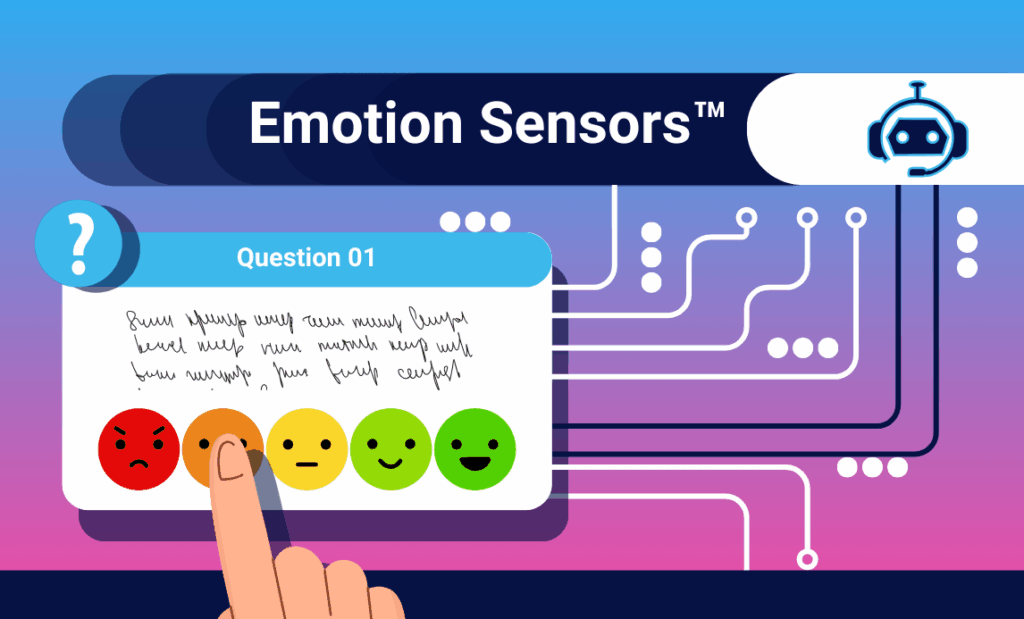
Scroll through your inbox or apps and you’ll constantly see:
“Rate your experience 😊😐😡.”
It looks modern. It feels lightweight. But underneath, most of these “emoji surveys” are still old-school forms: low context, low completion, and limited intelligence.
Emojot’s Emotion Sensors™ are built on a completely different idea.
They’re not just surveys with nice icons—they’re app-like “emotion capturing” interfaces that can be deployed at any touchpoint across a customer journey, enabling quick & easy capturing of rich signals with deep context and feeding real-time AI-powered analytics and workflows. The user sees something simple and delightful. Under the hood, it’s a highly engineered, metadata-rich, rules-driven system.
This blog unpacks why Emotion Sensors™ are a genuine technical differentiator for Emojot—and why they’re not easily replicable by standard CX or lightweight survey tools.
The Problem with Traditional Surveys
Online and email surveys struggle with both response rate and data quality:
- Meta-analyses and methodological reviews consistently find that online and email surveys have lower response rates than traditional modes. SurveySparrow+3PMC+3ScienceDirect+3
- Researchers now explicitly call out survey fatigue—too many surveys, too long, too repetitive—as a core limitation of questionnaire-based research, leading to careless responses, drop-offs, and biased data. PMC+2CMSWire.com+2
Emoji-based scales are a step forward visually:
- Studies comparing numeric Likert-type scales with emoji-based scales show that emoji formats can feel more intuitive and accessible, especially for quick mood or experience ratings. Medien Informatik LMU+3MeasuringU+3Research Society+3
- Emoji scales can reduce literacy demands and make ratings “feel” easier, and they are already used in pain scales and UX questionnaires. PMC+2Lippincott Journals+2
But just putting emojis on top of a traditional survey doesn’t fix the core issues:
- The system still knows very little context about where the response came from.
- The survey is mostly static—same questions, same flow, minimal personalization.
- Intelligence is applied after the fact in dashboards, rather than while the interaction is happening.
Emotion Sensors™ attack the problem at the architectural level, not simply at the skin level.
What Exactly Is an Emotion Sensor™?
An Emotion Sensor™ is a software-based, dynamic engagement interface that can be deployed wherever experiences happen:
- Web and in-app touchpoints
- Email and SMS/WhatsApp links
- QR codes on packaging, devices, tables, posters
- Kiosks and unattended terminals
To the end user, it feels like a tiny, frictionless app:
- Visually rich emoji palettes, sliders, buttons, tiles, images
- Mobile-first UX with minimal text-heavy friction
- Fast, “one-glance” understanding of what’s being asked
Technically, each Emotion Sensor™ is all of the following:
- A configurable micro-application:
- Defined as a structured model of questions, layouts, flows, and scoring rules
- Defined as a structured model of questions, layouts, flows, and scoring rules
- A state machine:
- Reacts to inputs in real time (branching, skipping, piping, gamification)
- Personalize based on the specific customer journey
- A data emitter:
- Streams strongly-typed, context-enriched events into Emojot’s AI-powered analytics pipelines.
So instead of “a list of questions rendered in a form,” you have a runtime object that understands:
- Where it is (touchpoint, channel, device)
- What it is attached to (store, SKU, agent, event session)
- How this interaction fits into a broader journey
That understanding is powered by Emojot’s Emo-Signature.
Emo-Signature: Context on Every Emote
In Emojot, each response is an emote—a unit of experience data that includes:
- The visible answers (ratings, choices, comments, uploads)
- A rich Emo-Signature™: metadata attached automatically at capture time
Think of Emo-Signature as a high-resolution context envelope around every emote, containing:
- Enterprise hierarchy
- Example: Region → cluster → store → counter → agent
- Journey stage
- Awareness, onboarding, usage, support, renewal, etc.
- Channel & device
- WhatsApp vs email vs web widget vs QR vs kiosk
- Campaign IDs
- Session attributes
- First-time vs repeat visitor, previous sentiment trend
- Custom business dimensions
- Product categories, line of business, priority tier, segment, etc.
This does two critical things:
- Eliminates repetitive context questions
- The sensor already knows which branch, which product, which agent is in play.
- Users aren’t asked “Which location did you visit?” or “Which device are you rating?” on every interaction.
- Result: shorter flows, less friction, no “administrative” questions.
- Makes data natively analytics-ready
- Because Emo-Signature is tightly mapped to the organization’s hierarchy and data model, every emote lands in the data layer already structured for drill-down and aggregation.
- No heavy ETL, no retroactive tagging, no spreadsheet gymnastics to align feedback with the real-world org structure.
A typical emoji survey might tell you:
“80% of users clicked 😊 on this screen.”
An Emotion Sensor™ tells you:
“At this branch, for this product, in this journey stage, on this channel, for this segment, sentiment shifted from X to Y, and here are the supporting themes and media.”
The emoji is just the visible surface; Emo-Signature is the deep structure beneath it.
Designed Around Behavior, Not Just Questions
Emotion Sensors™ are designed using the Fogg Behavior Model concepts, which state that a behavior happens when Motivation, Ability, and a Prompt converge at the same moment (B = MAP). The Decision Lab+3Fogg Behavior Model+3Habit Weekly+3
Emojot bakes this into the product:
- Motivation
- Branded, visually appealing UI instead of generic form layouts
- Micro-interactions and progress cues that feel rewarding rather than burdensome
- Immediate feedback, so it feels like a quick “expression,” not a chore
- Ability (make it effortless)
- Fewer questions, thanks to Emo-Signature carrying the context
- Touch-first controls (emoji palettes, sliders, tappable cards) optimized for mobile
- No logins or app installs; everything runs in the browser
- Prompt (right time, right place)
- Sensors are embedded exactly at the moment of experience:
- Scan a QR on a device
- Tap a link right after an interaction
- Respond during an event session or onboarding step
- Multi-channel deployment ensures prompts fit into existing user flows, not just inboxes
Traditional surveys mostly crank the Prompt lever (“send another email”). Emotion Sensors™ deliberately optimize all three—Motivation, Ability, Prompt—to drive high engagement without exhausting users.
Multi-Modal Capture and On-Sensor Intelligence
Every Emotion Sensor™ is a multi-modal capture engine:
Quantitative inputs
- Emoji-based CSAT, NPS-style, and Likert-type scores
- Multi-select and ranking responses
- Behind-the-scenes score models that compute composite metrics in real time
Qualitative inputs
- Open text fields (short and long)
- Photos, screenshots, or document uploads
- Audio / video clips capturing tone, context, or incidents
Logic & control
- Simple-to-advanced skip logic
- Score-based decision trees (e.g., low sentiment triggers a more diagnostic path)
- Question randomization to reduce order bias and improve data quality
- Piping earlier responses into later questions for personalization
Critically, much of this runs on the sensor itself:
- The branching happens at runtime inside the Emotion Sensor™, not as a static one-size-fits-all script.
- Intermediate scores can be computed as the respondent interacts, influencing the remaining flow.
- Thresholds can trigger immediate options (escalation, call-back requests, self-service paths) before the interaction ends.
From a systems perspective, what looks like “a short interactive survey” is actually a small decisioning and data-collection application.
Optimized for Real-World Journeys
Emotion Sensors™ are built to match how real journeys unfold:
- QR-first experiences
- Attach sensors to SKUs, devices, tables, hotel rooms, service counters.
- QR makes it trivial for users to jump into a feedback or service flow at the exact physical location.
- Omni-channel by default
- The same sensor definition can be deployed via email, SMS, WhatsApp, web widget, or kiosk; Emo-Signature tracks channel automatically.
- Kiosk-ready
- Sensors can reset intelligently, enforce response integrity, and prevent spam in unattended scenarios.
- Voice-of-Audience modes
- For events or town halls, the same sensing framework supports real-time questions, upvoting, and moderator views.
All of this runs off one underlying model—the Emotion Sensor™ spec—rather than a patchwork of separate survey types.
Complex Engineering, Simple Authoring
Given everything above, Emotion Sensors™ could sound like something only engineers can build. On Emojot, that’s not the case.
Behind the scenes, each Emotion Sensor™ is a declarative specification:
- A schema for questions, options, and response types
- A ruleset for branching, thresholds, and decision trees
- A mapping config for Emo-Signature and enterprise hierarchies
- Presentation metadata for theming and branding
The Emojot platform wraps this in a no-code editor:
- Drag-and-drop question blocks, emoji palettes, sliders, and media
- Click-to-configure logic:
- “If score < 3, show this follow-up path”
- “If user is in segment X, use this variant”
- Set up Emo-Signature mappings and channel assignments with dropdowns and toggles
- Re-usable templates for common patterns (post-interaction CSAT, branch & agent feedback, event VoA, QR-based product feedback, etc.)
So the complexity is in the engine, not in the authoring:
- Engineers & data teams get consistent, typed events and metadata across the organization.
- Non-technical teams can design sophisticated Emotion Sensors™ without writing a line of code.
Why Emotion Sensors™ Are a Real Differentiator
It’s increasingly easy for survey platforms to add a smiley-face scale or a basic “emoji skin.” Many vendors already have. Medien Informatik LMU+3MeasuringU+3Research Society+3
What’s hard to replicate—and what makes Emotion Sensors™ a strong differentiator for Emojot—is the combination of:
- Behavioral design baked in (Fogg B=MAP), not just prettier UI
- Emo-Signature™, a robust metadata envelope on every emote
- Multi-modal, on-sensor logic, treating each interaction as a mini application
- Native integration with enterprise hierarchies and journeys
- A no-code, declarative authoring environment that hides the underlying complexity
Practically, that means:
- Higher and more reliable engagement, without resorting to ever-more survey spam
- Shorter, more delightful flows that still deliver deep, analytics-ready context
- Real-time readiness for AI: summarization, trend detection, anomaly alerts, routing, predictions
- Consistency across touchpoints and use cases, all built on the same sensing fabric
Emotion Sensors™ aren’t just a nicer way to ask for a rating. They’re a core sensing architecture that turns every micro-interaction into a rich, contextual, and actionable data event—something standard emoji surveys simply aren’t designed to do.
Emotion Sensors™ in Action: Live Examples
To make all of this more concrete, here are some live Emotion Sensors™ that illustrate the concepts discussed above. For best effect, open them on a mobile device as well as a desktop browser.
- Rich, multi-modal Emotion Sensors™
- International Women’s Day 2020 – emojot.com/iwd2020
- Visually rich layout with strong graphics
- Multi-select questions and ranking interactions
- Open text inputs for qualitative insights
- Demonstrates how Emotion Sensors™ feel more like a lightweight app than a form
- Seasonal and campaign-based experiences
- Christmas Day 2022 – emojot.com/christmasday2022
- A festive, time-bound Emotion Sensor™ used for a seasonal activity
- Shows how branding, theming, and content can be quickly adapted for campaigns
- Ideal example of how Emotion Sensors™ support engagement beyond “pure feedback”
- Quiz-style Emotion Sensors™ with scoring
- ICAD 2020 Quiz – emojot.com/ICAD2020
- Fully interactive quiz with scoring logic
- Demonstrates how score-based decision trees and hidden scoring models work in practice
- A good illustration of “Emotion Sensor™ as micro-application” rather than a simple questionnaire
- Visit-based personalization in action
The following three links all point to this same Emotion Sensor™, with different Emo-Signatures: emojot.com/supermarketsurveydemo
They simulate the respondent’s experiences on their 1st, 2nd, and 3rd visits, but are accessed via the same link:
Together, they illustrate:
- How Emo-Signature can drive visit-aware personalization
- How subsequent visits can adapt questions, messaging, or offers
- The idea of treating each emote as part of a journey, not an isolated survey
- Question randomization and experimental design
- Randomized Question Set – emojot.com/sampel360rand
- Demonstrates question randomization in a 360-performance evaluation sensor
- Useful for reducing order bias and supporting more experimental / A/B-style setups
- Connects directly to the Logic & control section (randomization, skip logic, piping)
- Guided call center navigation
- Call Center Navigation Sensor – emojot.com/samplecc
- Shows how an Emotion Sensor™ can act as a guided navigation layer for a call center or service workflow
- Uses branching logic to route users to the right options based on their needs
- A concrete example of “Emotion Sensor™ as decisioning front-end,” not just feedback capture
- Feedback + action: skip logic and external redirects
- Google Review Flow – https://emojot.com/redirecttogoogle
- Combines skip logic with conditional redirection to Google Reviews
- Demonstrates how positive experiences can be routed toward public review flows, while negative ones can trigger internal follow-up
- A real-world example of closing the loop from Emotion Sensor™ to external ecosystem
- Brand-promoting, themed, and industry-aligned Emotion Sensors™
These examples highlight how Emotion Sensors™ can double as brand experiences, not just data collection tools:
- Midnight Divas – emojot.com/mdmarketing
- Coffee Shop – https://emojot.com/coffeeshopsurveydemo
- Themed Hotel – https://emojot.com/themedhotelsurveydemo
- Retail – https://emojot.com/retailnservicesurveydemo
- Restaurant – https://emojot.com/restaurantsurveydemo
- Travel Agency – https://emojot.com/travelagencysurveydemo
- Wellness – https://emojot.com/lifestylesurveydemo
- BioTech – https://emojot.com/heathcaresurveydemo
They collectively show:
- Strong use of brand colors, imagery, and tone
- “Marketing-native” Emotion Sensors™ that feel like part of the brand journey
- How the same underlying architecture supports CX, EX, and pure marketing & engagement use cases
- Rich media Emotion Sensors™ (video and image content)
- Coke Example – emojot.com/coke
- Demonstrates embedding video and image content directly within the Emotion Sensor™
- Shows how rich media can be combined with emoji scales, choices, and other inputs in a single flow
- Great example of how Emotion Sensors™ can both tell a brand story and capture nuanced emotional feedback at the same time
